
Table of Contents
Google Chrome AI Features Expand: Gemini Makes Browsing Smarter
In late 2025, Chrome rolled out what many are calling its biggest upgrade ever — embedding the AI assistant Gemini directly into the browser.
With this change, Chrome is evolving from a basic tool for browsing the web into an intelligent assistant capable of summarizing content, answering complex questions, integrating with apps, and eventually even automating tasks. For regular users and power‑users alike, this could redefine how we browse — making it faster, smarter, and more efficient.
What’s New in Chrome + Gemini: Smart Features You Can Use
🌐 Browsing Just Got Smarter
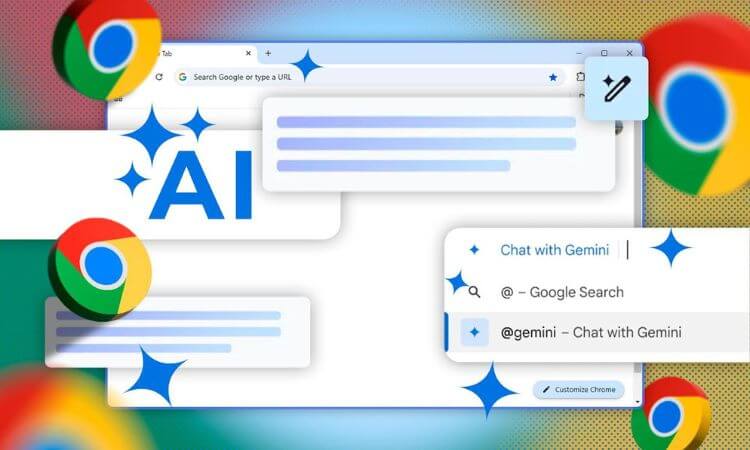
- A small Gemini icon now appears in the top-right of Chrome — click it, and you can ask Gemini to clarify a web page, summarize it, or “explain this paragraph” without leaving the tab.
- Gemini can work across multiple open tabs at once — so if you’re doing research or comparing products/places, you can get a consolidated summary or comparison.
- It integrates with other Google services: you can ask Gemini to help schedule events in your Calendar, find a location on Maps, fetch a timestamp from a video on YouTube — all without leaving your current tab.
🔎 Smarter Search via the Address Bar (Omnibox)
A major addition is the “AI Mode” built into Chrome’s address bar. Instead of typing simple search queries, you can ask complex or multi-part questions and get intelligent, context‑aware answers — often with follow-up question support.
This searches feel more conversational and dynamic, helping you dig deep without bouncing between multiple tabs or windows.
DO NOT MISS: Best Sony Phones 2026
🤖 Agentic Capabilities — What’s Coming Soon
Beyond just summarizing and answering questions, Chrome + Gemini aims to move toward agentic browsing: letting the AI handle multi-step tasks for you, such as ordering groceries, booking appointments, or filling out online forms — all under your supervision.
In other words: you might soon be able to delegate repetitive, mundane web tasks to your browser.
🔐 Smarter Security & Privacy Features
The update also focuses on safety. Built-in AI helps Chrome identify and block common online threats: fake virus popups, phishing attempts, malicious “giveaway” scams.
Additionally, on supported websites, Chrome will eventually allow users to trigger an automatic, one-click password reset if it detects that your credentials may be compromised.
🧪 Accessibility — Works on More Devices Than Ever
Recognizing that not all users have powerful hardware, Chrome’s latest update added CPU-based inference support for its AI. That means even users on modest laptops or desktops can enjoy AI features.
Chrome’s built-in AI tools — summarizer, translator, writer, rewriter — are also becoming widely available to developers, enabling smarter web apps, extensions, and websites.
What This Means for Everyday Users — Practical Benefits
- Save time & boost productivity: Instead of manually skimming long articles, bouncing between tabs, or copying & pasting — you can get concise summaries, comparisons, or organized insights with a click or quick prompt.
- Better research and decision‑making: Useful when planning travel, shopping, academic research, or reading long reports — Gemini helps you digest, compare, and evaluate without clutter.
- Integrated workflow: With Chrome + Gemini you can pull up videos, maps, calendar events and more — all within one tab — making multitasking smoother.
- Accessible AI for all: Even with older or less powerful devices, you can benefit from AI browsing thanks to CPU-mode support.
- Improved online safety: AI-powered scam detection, phishing guards, and password tools add a layer of security that’s increasingly vital in today’s web environment.
Potential Concerns & What to Watch Out For
While the update is powerful, some users have voiced caveats. For example:
- “With the Recall feature, does it index every single page visited then? Sounds a bit problematic for internal company use with sensitive information.”
- “Chrome is a RAM hogger … Not everything lands up in a large language model.”
Concerns include potential privacy implications, increased resource usage (RAM/CPU), and the risk that AI-driven automation could do more than you intend — so users should remain cautious and selective about enabling full agentic features.
Conclusion
The integration of Gemini into Google Chrome marks a significant turning point: the browser is no longer just a window to the internet — it’s becoming a smart, context-aware assistant. Whether you’re digging through dense articles, juggling multiple tabs for comparison, booking appointments, or simply browsing, Chrome’s new AI features are designed to make the web easier, faster, and more intuitive.
That said, with great power comes responsibility. As users, we should embrace the convenience — but remain mindful about privacy, resource use, and when to rely on human discretion rather than AI automation.
Overall: this is among the most transformative browser updates in years — one that could reshape how we browse, work, learn, and interact with the web.
FAQs
Q: What exactly is “Gemini in Chrome”?
A: Gemini is an AI assistant built directly into Chrome. Once enabled, it can summarize web pages, answer your questions about what you’re reading, compare information across tabs, assist with tasks, and integrate with apps.
Q: Do I need a powerful computer to use Chrome’s AI features?
A: Not anymore. Chrome’s AI can now run on your device’s CPU (not just GPU), which means even older or modest machines can support it.
Q: Is Gemini in Chrome available globally now?
A: The feature initially launched for users in the U.S. using English on Chrome (Windows/macOS). Wider rollout to more regions, languages, and devices is planned.
Q: What about privacy and security? Will AI in Chrome track all my browsing?
A: Chrome claims that privacy and security are priorities: users control when Gemini runs, what it accesses, and can delete history if desired. Still, it’s wise to be mindful.
Q: When will Chrome’s “agentic” features (task automation) be available?
A: The automation features — where Gemini acts on your behalf — are expected to roll out in the coming months. For now, they’re still in the “coming soon” phase.