
Table of Contents
Best Laptops for Video Editing in 2025
Video editing in 2025 has become more demanding than ever. With 4K and 8K workflows, RAW formats, and AI-powered effects now common in most editing suites, creators need laptops that can keep up with professional expectations. The ideal machine must combine raw processing power, strong graphics performance, accurate color displays, and plenty of memory with storage options that don’t slow down a project mid-edit.
This guide covers the 20 best laptops for video editing in 2025, breaking down their strengths, target users, and why each one is worth considering. The list includes options for beginners, professionals, and large studios, ensuring that every creator can find a machine that suits their workflow.
Apple MacBook Pro 16 (M4 Pro / M4 Max)
The MacBook Pro 16 remains the gold standard for video editing in 2025. Equipped with Apple’s M4 Pro or M4 Max processors, it delivers unmatched performance while keeping thermal efficiency in check. Its 16-inch Mini-LED display offers stunning brightness and precise color accuracy, making it perfect for Final Cut Pro, DaVinci Resolve, and Adobe Premiere Pro users. This model is the most recommended choice for professionals who want power, display fidelity, and long battery life.
DO NOT MISS: Apple Vision Pro 2 Rumors: What to Expect
Apple MacBook Pro 14 (M4 Pro)
The smaller sibling of the 16-inch model, the MacBook Pro 14 offers nearly the same capabilities in a more compact form factor. It is ideal for mobile creators who still demand high performance but prefer a lighter design. The Mini-LED screen delivers the same color accuracy as its larger counterpart, making it suitable for serious editing tasks while traveling.
Apple MacBook Air 15 (M4)
The MacBook Air 15 has grown into a surprisingly strong choice for entry-level video editors. Powered by Apple’s M4 chip, it handles 4K edits and even lighter multicam projects with ease. Its fanless design means silent operation, and while it lacks the raw power of the Pro models, it provides an excellent balance of performance, portability, and price for social media creators and vloggers.
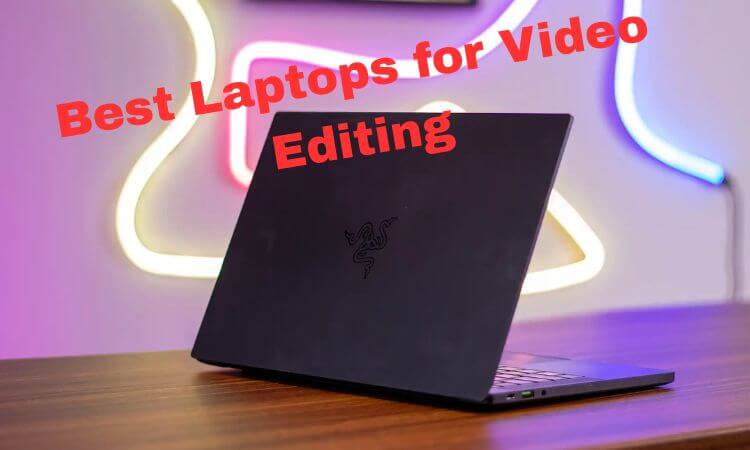
Razer Blade 16
The Razer Blade 16 stands out for editors who also want gaming-level performance. Equipped with high-end Intel HX processors and Nvidia RTX 40/50-series GPUs, it can handle heavy rendering and real-time effects without breaking a sweat. Its display options include high-refresh-rate panels and color-accurate UHD screens, making it versatile for both gaming and professional editing.
Asus ProArt Studiobook / ProArt P16
Designed specifically for creative professionals, the Asus ProArt line is built around factory-calibrated displays and powerful hardware. With OLED 4K options and Nvidia GPUs, it is tailored for colorists, graphic designers, and editors who demand reference-level accuracy. This series is often chosen by professionals working in animation and studio workflows.
Dell Precision 7000 / XPS 17 (Workstation Configurations)
Dell’s Precision series is a favorite in corporate studios thanks to its ISV certifications and robust hardware. With options for Intel Xeon processors and professional-grade GPUs, it supports ECC memory and large RAM configurations, making it reliable for intensive workloads. The XPS 17, while more consumer-focused, offers similar hardware in a sleeker design and appeals to independent editors.
MSI Titan 18 / Prestige 16
For those who value sheer performance, the MSI Titan 18 is a desktop replacement in laptop form. Its enormous 18-inch display, RTX 4090-level GPUs, and Intel HX processors provide extreme power for editing 8K video or running heavy motion graphics projects. The Prestige 16 offers a lighter but still capable option, ideal for editors who want MSI’s performance without the bulk.
Lenovo ThinkPad P1 / Legion Slim Workstation Variants
Lenovo’s ThinkPad P1 has earned a reputation for reliability and serviceability. Offering Nvidia professional GPUs and ISV certifications, it is favored by professionals in corporate environments. The Legion Slim, meanwhile, provides similar performance with a more consumer-friendly design, making it suitable for creators who want workstation reliability without extra weight.
Microsoft Surface Laptop Studio 2
Microsoft’s Surface Laptop Studio 2 is built for hybrid creators who combine video editing with illustration or animation. Its flexible hinge design allows it to switch between laptop and tablet modes, while stylus support makes it excellent for frame-by-frame editing and motion graphics work. It features solid Nvidia GPUs and a high-quality touchscreen, bridging the gap between laptop and creative tablet.
Acer ConceptD and Swift X
Acer’s ConceptD and Swift X lines bring strong creative performance at more accessible prices. The ConceptD series emphasizes color accuracy and quiet cooling, while the Swift X includes discrete Nvidia GPUs in a slim form factor. These laptops are popular among students and budget-conscious creators who still need reliable hardware for editing and rendering.
Asus ROG Flow / Strix (Creator Configurations)
Although marketed as gaming laptops, the Asus ROG Flow and Strix models pack serious editing power. With compact designs and options for external GPU docks, they are suitable for creators who travel frequently but still need powerful rendering performance. Their high-refresh OLED panels also make them appealing for color work.
HP ZBook Fury / Studio
HP’s ZBook line remains a staple in enterprise-level creative environments. Built with ISV certifications, high-capacity RAM, and professional Nvidia GPU options, the ZBook series is ideal for studios that require long-term reliability and serviceability. Its security features also appeal to corporate users handling sensitive content.
Samsung Galaxy Book 4 Pro / Odyssey
Samsung has leaned into its display expertise with the Galaxy Book series. These laptops feature AMOLED panels with exceptional color reproduction and contrast, making them excellent for grading and editing. The Galaxy Book 4 Pro offers slim portability, while the Odyssey line caters to power users who need more GPU performance.
Lenovo Yoga Slim / Aero Series
The Lenovo Yoga Slim and Aero lines bring lightweight designs with strong editing performance. Their OLED displays are bright and color-accurate, while discrete GPU options make them more than capable of handling editing workloads. They are particularly attractive to creators who prioritize portability without compromising on display quality.
Acer Predator / Helios
Though designed for gamers, Acer’s Predator and Helios laptops deliver immense power for editors on a budget. Equipped with Intel HX processors and RTX GPUs, these machines excel in raw performance. Their aggressive cooling systems ensure sustained rendering speeds, though they may be bulkier than dedicated creator laptops.
Gigabyte Aero / Aorus Studio
Gigabyte’s Aero and Aorus Studio models blend gaming-class performance with creator-focused features. Many include Pantone-validated displays, ensuring accurate colors out of the box. These laptops appeal to motion designers and editors who want strong hardware paired with verified display accuracy.
MSI Creator Z16 / Creator Pro
The MSI Creator series is known for its elegant design and focus on creative workloads. Featuring 3K OLED or Mini-LED displays and high-end Nvidia GPUs, these laptops provide smooth performance for editing and design work. They are popular among creative professionals who want both aesthetics and performance in a single package.
Lenovo Legion 7 / 5 Pro (Creator Configurations)
Lenovo’s Legion gaming laptops, particularly the 7 and 5 Pro, double as excellent video editing machines when equipped with higher-end GPUs. Their robust cooling systems and high-refresh displays allow sustained editing performance. Many models include an SD card reader, making them convenient for ingesting footage directly from cameras.
Alienware x16 / x18
Alienware’s x-series laptops are among the most powerful Windows machines available. With large batteries, advanced cooling, and RTX 40-series GPUs, they handle heavy editing projects with ease. Their large displays and ample ports make them excellent desktop replacements for professionals who prefer not to work on smaller screens.
Framework Laptop (Customized with AMD or Intel Options)
The Framework Laptop is unique for its modular and repairable design. Editors who value long-term upgradeability appreciate the ability to swap out RAM, storage, and even ports. While it may not match the raw power of a MacBook Pro or MSI Titan, its flexibility ensures that it can evolve alongside changing editing needs.
Matching Laptops to Editing Workflows
- Beginner and Student Editors (1080p / light 4K): Apple MacBook Air 15, Acer Swift X, or Lenovo Yoga Slim provide excellent entry-level performance.
- Professional Independent Filmmakers (4K heavy projects): MacBook Pro 16 (M4 Pro/Max), Razer Blade 16, or MSI Prestige offer balanced power and portability.
- Studio Colorists and Motion Designers (8K / heavy graphics): MSI Titan 18, Dell Precision 7000, or HP ZBook Fury are optimal choices.
- Corporate Studios (collaborative work): Dell Precision, Lenovo ThinkPad P1, or HP ZBook with ISV certifications ensure stability and serviceability.
Practical Tips for Editors
- Use external SSDs for current projects. Thunderbolt or USB4 NVMe drives provide faster scratch space and prevent system slowdown.
- Prioritize RAM. A minimum of 32GB is recommended for 4K editing, with 64GB+ for 8K or multicam projects.
- Choose laptops with SD or CFexpress slots. Direct media ingestion saves valuable time on set or in post-production.
- Check thermal performance. A laptop that throttles under long exports can waste hours of productivity, so cooling design matters as much as raw specs.
Comparison Table: Top 5 Picks for Video Editing in 2025
| Laptop Model | CPU Options | GPU Options | RAM (Max) | Display | Weight | Ideal For |
| MacBook Pro 16 (M4 Pro/Max) | Apple M4 Pro/Max | Integrated Apple GPU | 96GB | 16” Mini-LED, HDR | 2.1 kg | Professionals, studio work |
| MacBook Pro 14 (M4 Pro) | Apple M4 Pro | Integrated Apple GPU | 64GB | 14” Mini-LED, HDR | 1.6 kg | Mobile professionals |
| MacBook Air 15 (M4) | Apple M4 | Integrated Apple GPU | 24GB | 15” Liquid Retina | 1.5 kg | Students, vloggers |
| Razer Blade 16 | Intel HX | Nvidia RTX 4080/4090 | 64GB | 16” UHD/120Hz OLED | 2.4 kg | Gamers + editors |
| Asus ProArt Studiobook / P16 | Intel / AMD | Nvidia RTX Studio GPUs | 64GB+ | 16” 4K OLED | 2.3 kg | Colorists, designers |
Conclusion
The best laptop for video editing in 2025 depends on the editor’s software ecosystem, budget, and portability requirements. For those in the Apple ecosystem, the MacBook Pro 16 with M4 Pro or Max remains the ultimate all-rounder, combining incredible power with unmatched efficiency. Windows users looking for maximum performance can rely on the Razer Blade 16, Dell Precision, or MSI Titan for serious professional workloads. Meanwhile, options like the Framework Laptop, Acer Swift X, and MacBook Air 15 make video editing more accessible to students and casual creators.
The ideal laptop is the one that balances speed, display quality, and workflow convenience for the type of projects being produced. With the right choice, video editors in 2025 can cut, grade, and render faster than ever, turning their creative visions into polished productions with confidence.